I haven’t heard the term “release backlog” in many months, but it’s come up in three conversations over the past week. So, I want to share my thoughts on whether a team should have a Release Backlog in addition to the conventional Product and Sprint (or Iteration) Backlogs.
First, let’s clarify what people mean when they refer to a “release backlog.” A release backlog is a subset of the product backlog that is planned to be delivered in the coming release, typically a three- to six-month horizon. A release backlog would presumably contain the same type of items as on a product backlog. My preference for this, of course, would be user stories. So, at the start of some release planning horizon, a product owner with help from the team and other stakeholders would example the product backlog, select some amount of high priority work and move those items to the release backlog. Later, in sprint (iteration) planning, the team would examine the release product and select some amount of work to do. (Notice how this already goes against existing agile literature that says the team selects top priority items for the sprint from the product backlog?)
I am opposed to the use of a release backlog for a couple of reasons:
First, in all projects that are not being done as fixed-scope contracts (and, arguably, even then) we don’t know exactly what user stories or features will be delivered in a release. To say that there is a release backlog may not imply a guarantee that all features on it are delivered. However, it does create additional work as items are moved off back and forth between the product and release backlogs. This will happen as the team’s velocity changes (even by small amounts) from sprint to sprint. If the release backlog is to show what a team will deliver in a release, it should contain an amount of work equal to the number of story points (or ideal days) times the number of remaining sprints. If you have an average velocity of 20 and 6 sprints left, the release backlog should contain 120 points worth of work. Suppose the team finishes 24 points of work in a sprint. The backlog is now down to 96 points (120-24) but should contain 100 (5 sprints left x an average velocity of 20). Things get even more difficult if that good velocity of 24 increases the team’s average velocity to 21. In that case the release backlog should contain 5×21=105 points of work; we need to move 9 points of work from the product backlog to the sprint backlog. If there’s a release backlog, this moving of items back and forth from product backlog to release backlog will happen every sprint.
Second, introducing a release backlog creates additional confusion. We’ve already overloaded the word “backlog” with “product backlog” and “sprint backlog.” Why confuse things further with a third type of backlog unless there is an immensely compelling reason to do so?
Third, introducing the concept of a Release Backlog actually makes it harder for product owners to do one of the most important things they should be doing–looking at the features or user stories that just miss the cut of being in a release. When I look at a product backlog and count down the number of story points that I anticipate will be in the release, the most interesting thing to me is not necessarily the set of user stories that will make it into the release. I’m often just as interested in the next few user stories below that cut-off point. That is, I want to know what user stories won’t quite make it into the release. After all, we say that one of the benefits of agile (on some, not all, projects) is the ability to decide later if we should release a few sprints early (if a lot has been done), on the planned date, or perhaps a sprint or two late if we want to add more functionality before a release. This is made more difficult with a Release Backlog because a product owner now needs to examine both a Product Backlog and a Release Backlog to make these decisions.
So, what do I propose instead?
I advocate that all teams track their velocities. This leads to a graph like this:
This graph shows a team calculating three average velocities:
- Long term average, defined as the mean of the last eight sprints
- Worst case average, defined as the mean of the worst three chosen among the last eight sprints
- Best case average, defined as the mean of the best three chosen among the last eight sprints
You can choose your own ways of calculating long-term, best-case, and worst-case average velocities. These are just the ones I like. We use these average velocities as shown in this figure:
In this figure, the product backlog is shown on the left as a stack of index cards. We use the three average velocities multiplied by the number of remaining sprints to draw arrows pointing into the product backlog. The range created by these arrows indicates the likely amount of work finished by the planned date. Our release plan is the work defined by the arrows. Rather than a Release Backlog as a new work product or artifact, my equivalent of a release backlog is the product backlog and these arrows pointing into it.
As you can imagine, predicting velocity as a range is much more likely to be accurate than using a single point estimate (“Our velocity is 31.”) as has been implied by everyone I’ve heard talk about a Release Backlog. Additionally, looking at figures like these should make it apparent that the amount of work expected to be delivered in a release will change from sprint to sprint. Pointing arrows into a product backlog is much easier and more helpful than creating a new work product, the Release Backlog.
Tags: agile release planning, product backlog, sprint backlog, velocity
Mike – my experience of the Release Backlog is actually it not being a backlog in it’s own right but a way for the Product Owner to take a longer term view on things. The view is actually just the product backlog, and based on velocity it allows them to see where they could be after x sprints, or at a specified date. I think it can be mis-used and this is more down to the tools used. Products like Version One make a bigger deal out of the Release Backlog, I prefer this to be something the Product Owner can play with tagging items as in/out of release to give them a longer term view. I have not adopted the Velocity Range you detail above but think this a very nice way to predict.
Andrew–
A problem with the approach of having a release backlog be a view into the product backlog is that then a team has two things (product backlog and sprint backlog) that are “real things” and another thing called a “backlog” that is only a view. I agree there needs to be a view of what is expected in a release; this is what has traditionally been called a “release plan,” however.
I do prefer the term Release Plan – will use that going forward
I do encourage the team not to even worry about it – it’s there for the Product Owner, the problem is tools like Version One have built this Release Backlog into the process, you plan your sprints from a Release Backlog.. i’m going to re-evaluate the tools again.
Hi Andrew–
A good starting point for evaluating tools is http://www.userstories.com Please check it out. It’s a site we made where product backlog tool vendors can create their own listings and then people can add ratings and reviews of the tools. If you (or anyone else) has a minute, please contribute a review. We wrote this site to help people find the right tools since there are so many (over 50!) out there. Thanks.
Hi Mike,
Great article. I’d have to agree with you that the term “backlog” is very overloaded, and I also only distinguish between Sprint backlog and Product backlog. I find that the biggest benefit of the approach you’ve suggested in that the Product Owner now has a range to work with. Not only is this far more like to be accurate, it’s also enforces the concept of “negotiations over contracts” (even if the contracts are implied).
Thanks,
Kane.
Hi Kane–
I’m glad you agree. And, yes, being able to look at a range on the product backlog and say “we’ll finish in that range” is critical. This is true even on a fixed scope project. Just because we have a contract with a client that says we’ll finish through item #100 on the product backlog, doesn’t mean that we–internal to the project–shouldn’t be looking at that and thinking “oh yeah, we’re in good shape!” or “uh-oh, we’re possibly going to miss by a few; we better figure out how to get a few more items in or reset expectations now while we still can.”
Hello Mike,
Thanks for the insight. We’ve considered having separate backlogs at a release/product level due to the fact that we are trying to put together a high-level product roadmap and track against it with a product-level burndown chart. The problem is the total number of hours in the product backlog, of course, continues to change, making the burndown chart useless when trying to track to completion. Creating a release-level backlog would allow us to do this, but then your comments above come into play. Essentially you end up baselining the stories from the product backlog that go into that release, which I agree is not good. I looked through your previous blog posts and couldn’t find any that address how you can track progress against the overall product roadmap/backlog. We are development a legacy replacement product and need to track against “feature equivalency” with the legacy product. Any tips for us?
Thanks,
Matt
Hi Matt–
Burndown charts are an excellent tool but they show only one thing–distance to the goal. I equate their use to a pilot landing a big 777. The pilot cares about a lot of things, but mostly about the distance above the ground. In other words, how far from the goal. (Yes, I know a pilot really follows what is called a glide path, but that is more or less equivalent to a predicted hypothetical line down the burndown chart.) There have been lots of useful proposals over the years as to how to improve burndown charts–some people do burnup charts, for example. I tend to draw a burndown bar chart when I need something fancier. If you look at that page, you’ll see how the burndown bar chart allows you to separate changes in scope (dropped or added work) from progress. This can be useful, but it can also lead to arguments over what’s a change / what’s a fix.
Hi Abby–
It’s really a matter of educating people about uncertainty. There are two main types of uncertainty on a software project–product uncertainty (what exactly are we building?) and project uncertainty (how exactly are we building it?). Each needs to be incrementally reduced during the project. As those are decreased, we can become more precise in saying what features will be delivered and on what date. (Yes, I understand that fixed-date projects and fixed-scope projects exist. When we lock down one of those dimensions, though, we need to plan for it accordingly, though.)
Very interesting, you make a strong point for how having a release backlog actually makes us less flexible/less agile. I am guessing the release backlog is a knee jerk reaction to people wanting more control – that illusion that traditional processes give you…?
I really struggle with how we move away from that mindset. I think it stems from people not understanding the complexity & uncertainty around software development. If it all appears to be very straight forward (“Just do what we ask you to”) then of course people will expect us to be able to tell them exactly how long it will take & exactly what they’ll get up front. And so then, how do we justify the need for agile planning methods and successfully argue against things like release backlogs?
Thanks, Mike. It would be easier if we could just bring you along with us to each of our customers to explain.
[...] Why There Should Not Be a “Release Backlog” – “I want to share my thoughts on whether a team should have a Release Backlog in addition to the conventional Product and Sprint (or Iteration) Backlogs.” [...]
[...] Weiter geht es mit zwei Artikeln, die sich mit dem Product Backlog befassen. Hier geht es einmal darum, wie sich Non-Functional Requirements praktisch mit Agilen Methoden managen lassen, denn diese passen normalerweise nicht sonderlich gut in irgendwelche User Stories. Die Idee ist also Non-Functional Requirements an die entsprechenden (neuen) User Stories “anzuhängen”, um sicher zu gehen, dass bei der Implementierung einer neuen User Story keine bestehenden NFR “gebrochen” werden. Ein weiterer Artikel befasst sich mit der Frage Why There Should Not Be a “Release Backlog”. [...]
Mike, I disagree that there should *never* be a release backlog, and you indicate exactly where it might be useful: fixed scope contracts. My primary context these days is fixed scope contracts, and release backlog is a useful tool here. See Why there should be a “release backlog” for a more detailed response.
Mike,
I have to admit by being a little confused at first by your article. How one actually do release planning if we don’t have a view on what should go into each release?
I then seen your response to Andrew’s question that that view is simply called a “release plan”.
In that vein, does that mean that the product backlog and the product plan are not really the same thing? Wouldn’t a product plan contain all of the stories in a product backlog but organized by release?
Hi Jeff–
I’m sorry my initial post was confusing. I review it shortly to see if I can improve it.
A product backlog is a list of all items we might want in a product–some might turn out to be too expensive to put in the “release plan” or “product plan” but we might want to keep them on the product backlog in case technology breakthroughs change the economics of those features.
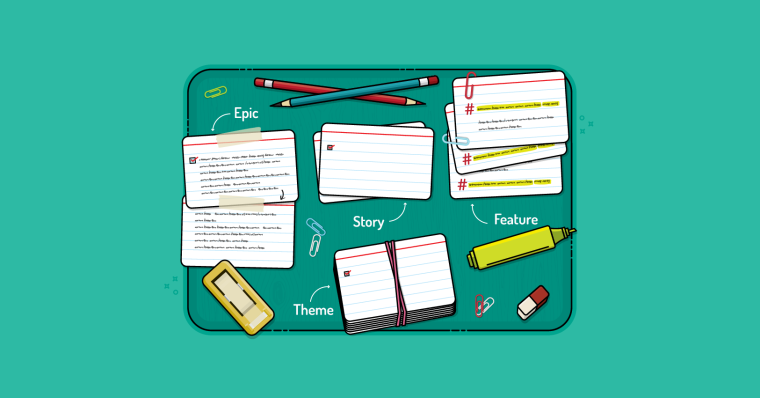
If I were creating a product plan, I would typically do so by providing a high level list of themes (groups of individual stories) for each planned release of a product.
Mike,
that makes sense to me.
thank you for the reply
Hey Mike,
GREAT ARTICLE!
If you could add a short paragraph regarding the “elements of a release plan” this will be absolutely perfect.
Catherine Louis
Mike,
How about having a notion of a current-release-may-end-here line in the product backlog (waterline if you wish to call it: if we’ve started to sink we move it up to stay above the water)?
We have a single backlog in this case, so we don’t move items, we just toss them around to form a release scope. The things which are below will be done in future releases so we don’t care about their details (and maybe even estimates).
I found this concept of a high use for the Product Owners since now they have control over the scope of the release and it is when the release burn-down works nicely; though the product backlog might still be growing below the waterline.
Regards
Thanks, Catherine. I’m sure I’m missing a few things that I’d want to see in a good release plan, but off the top of my head, here are the essentials:
Hi Alexey–
The “current-release-may-end-here line” you describe is exactly what I’ve tried to show in the second figure of this post (the figure with the 3 lines). Most likely you are basing your assumption about where the current release may end on an average velocity. All I’m showing in that figure is that to get more accurate, we should show where the current release may end as a range based on number of sprints left and on a likely range of good and bad sprints.
Hi Mike,
I think adding yet another backlog term is a way of shuffling tasks from list to list. The Product Backlog and Sprint Backlog are the prioritised lists of deliverables already. Having another list could see tasks fall to the wayside easier, and just adds another level of complexity.
Agile methodologies whilst having a defined structure seek to simplify projects and increase efficiency, I believe adding a ‘release backlog’ would go against this. Like you said in your reply to abby, it’s just about educating people and as a part of this you can show them what is already in place and soothe their planning nerves.
Regards,
David
Hi Mike,
Great article, at my previous company we got scrum working too good so the operation guys were not able to release all the features that was released. Now we had just moved the constrain to operation instead. We had suddenly a release backlog that was 3 month. What we did was to lowering the paste to make sure that everything is released and brought in operation into sprint planning so we made them part of the scrum teams. In this way we managed to make our process much more streamline and reduced one more constrain.
Hi Reza–
Thanks for your comments. What you describe is a wonderful situation for a development organization to be in. In most companies, software development is the constraint–the business wants more faster than the developers can do it. When the development group speeds up to being fast enough that some other groups becomes the bottleneck, the developers suddenly have more time to invest in getting even better (learn a new tool, finally read that patterns book on the shelf, find better ways of testing, try out better practices, etc).
I also like how you describe bringing Operations into your Scrum teams. That’s wonderful. Thanks for sharing this.
Mike,
I agree in principle, but I find in practice with a large enterprise that has multiple “products” that sprint and release in lock-step, the release backlog is a great tool for allowing the various product owners to negotiate among themselves on the subset they’re positioning for the next release. While it is true that they could simply work off of the top of the product backlog, this staging area helps to separate the items the product owners are really beginning to devote time toward, versus the pile of stuff in the various product backlogs.
Mike,
For most software companies making a commercial product, the product backlog is infinite because as time progresses there’s no shortage of great ideas. So unless you define a holding pattern of good ideas outside of the product backlog, ordering the product backlog is endless. That’s why a release backlog is important. Its creates a more definable (not necessarily fixed period of time) and a set of scope that the product owner can sell/deliver to a customer. Even better you can define a goal for the release focused on themes or specific customers and use a different ranking method for that release backlog than you would otherwise use.
Bottom line, if your point is we do not need 3 backlogs or semantics, then I see your point. But I believe there is more of a need for a release backlog than a product backlog except for short-duration projects.
Chris–
My point is indeed that we do not need three backlogs. A release backlog is best expressed by drawing a line (1 or more) somewhere down the product backlog indicating how far we expect to get by the time a release occurs. We could call this a “product backlog with the release contents indicated” approach vs. a “three separate backlogs” approach.
We use all three backlogs, but perhaps not in the same way you are proposing.
We will create a product backlog that is used to help scope the entire project, validate the business case, communicate what we are doing to other parts of the company.
We then subdivide the product development into a series of “releases”. Typically each release has associated hardware that goes with it. The ITF (Integrated Test FIxture) Build, B0 Build, the B1 Build, ECAT (Early Customer Engagement).
Since there are large expenditures with each release, what goes into that release is important. We have to have Feature X in the B0 build, because in the B1 build we are hard-tooling for manufacturing, and we have to make sure that the sensor is in the right place (for which we need working software to validate algorithms).
Within each release, we break it down into a series of iterations, and break down items allocated to the iteration into stories.
If we over-achieve, we will often bring things in from future “releases” to do in this release.
If we under-achieve, we may delay the release (add more iterations), or dump content. We prefer to dump content, but sometimes we have to extend if we are unable to meet the mission of the release.
Pure software projects seem to have more flexibility and the extra layer of complexity caused by introducing a “release backlog” probably isn’t worth the effort.
Mike
Our project does have a what we currently call a “release backlog” – stuff that is definitely needed for the release to make sense, but “release plan” is as good, if not better.
It’s interesting that you finish with a discussion of velocities. I just put together a calculator that works out how many iterations we’ll need for the critical functionality, based not just on average velocity (or 50% confidence), but also with sufficient contingency to give 95% confidence given the historical variability of velocity. It’s here at http://positiveincline.com/?p=53 – see what you think. And no, it doesn’t mean that we don’t timebox our iterations!
Mike (I think that makes 3 here now!)
Hi Mike–
I like your calculator. One thing that threw me on the first trial was that I expected velocity variation to be in points or units rather than a percent since the field above it was in points/units. “Rate of creep” made me think “rate=percent” so I read the description and entered points as it said I should. Then on “Velocity Variation” I entered it in points again (8) but that was interpreted as 8% which gave me a very tight range on the bottom.
I don’t use a standard deviation for calculating this because very, very few teams have enough data that the standard deviation is meaningful. So in my Agile Estimating and Planning book and in the post here I’ve advocated using some averages from a reasonable number of recent sprints.
Thanks for sharing your calculator. (Everyone else: it’s worth checking out: http://positiveincline.com/?p=53 )
Thanks for the feedback, I should add some better instructions and perhaps an example or two! Something based on your low and high averages might work just as well – as I recall the 3 point estimation guys used the difference between best case and worst case as a proxy for the standard deviation.
[...] Many thanks to Mike Cohn for his feedback on the original calculator. I’ve made some changes already as a result; longer term [...]
Hi Mike,
Good article and I’ve read your estimating and planning book which was excellent. One thing I’m confused about is how to use the range of velocity. You spell out how to calculate it in the book based on the cone of uncertainty, but then you seem to use a single point target velocity for release and iteration planning. Should the single point be an average of the best and worst case? Or is there a way to use the range in planning releases and iterations that I’m missing?
Thanks,
Marsha
Hi Marsha–
If we revisit the purpose of a range, how to use it becomes clear. The purpose is to be able to make more accurate statements. If you take an average velocity and multiply times the number of remaining sprints that gives you a nice single number–say 7 sprints x velocity of 20 = 140. You can count down the product backlog 140 story points and say “we’ll most likely finish *here*.” But we know that finishing exactly there is unlikely–you might do 139 points. Or maybe 141.
We use a range to make our statements like “we’ll finish here” more accurate. We can instead say “We’ll probably finish between here (low velocity * number of sprints) and there (high * number of sprints). That was the point of the second figure way above.
In the book I suggested using the numbers provided by the cone of uncertainty as ONE WAY to come up with a suitable range around the velocity of a team for which you have no history. Another way is to use the same percentages of other teams you have measured in your company. (This means you should be tracking other teams.) Another is just to apply gut feel (“I think we could be off by plus-or-minus 20%”). Another is to apply industry averages that say software estimates are off by an average of 30-40%. There are others. The point is to have a range.
If you want to express a point estimate, I normally do it based on average velocity from a number of sprints as described in this post initially. I would do that rather than average the best and worst cases.
Mike, thanks once again for your feedback. Both calculators (linked in my site’s sidebar) can now take lists of historical velocities so you don’t have to calculate or guess the variation input.
Excellent. This will be a nice addition. I’m teaching an estimating class tomorrow—if I’ve got an internet connection in the venue I’ll run a live demo in class. Thanks.
The one issue I struggle with on a large enterprise team (16 scrum teams across 3 continents!) is that each team has a velocity or feature point value that is not transferable. If each team estimates their own stuff, and each team picks there own definition of what is a one, then one team’s feature point doesn’t equal another’s. There are some positives to this, but what I can’t do is add up everyone’s estimates and divide by their velocities across the entire team… or can I…
Should I be trying to normalize everyone’s feature points?
Bruce–
Please see:
http://blog.mountaingoatsoftware.com/establishing-a-common-baseline-for-story-points
and
http://blog.mountaingoatsoftware.com/is-it-a-good-idea-to-establish-a-common-baseline-for-story-points
Mike, thanks!
You hit the nail on the head both on how I was going to normalize, and the reason my designers asked me not to.
Unfortunately, I work in a metrics driven, politically rife org with outsource partners who have a habit of trying to look good. (they tend to up task hours to match their work hours for ex). At the same time, I definitely need to figure out a release plan (and we use a release backlog at the moment which is pulled together by rolling up each teams accepted backlog).
My current thinking was to have each team tell us how many sprints they need to get their backlog complete (actually, a best and worse case as you identified here) and then try to move work around at the SoS until they are all roughly taking the same number of sprints to complete.
Thoughts? Does a release backlog help in this case?
I have this feeling that everyone has misunderstood me when I say we don’t need a release backlog. My point was this:
The release backlog should be indicated by one or more lines through the product backlog showing how far the team will get into that product backlog rather than be a separate artifact.
Yes, Bruce, what you’re describing will be fine. This is the usual technique of a release burndown chart and simply looking at the burndowns to see which team is the critical path.
Thanks Mike. Love the blog by the way. I will use the critical path technique for now and see how well that works.
The issue that is driving us to two physically different backlogs (product vs. release) are the repetitive deliverables that occur for every release. For example, the following items exist on our release backlog, but do not exist on the product backlog: Create upgrade packaging, create product documentation, and conduct full regression test.
The motivation driving this approach:
1) Release items are the cost / overhead of any release and as such don’t need to be managed in the product backlog as each item would just be repeatedly duplicated from release to release
2) Prioritizing release items vs. features does not make sense since each release item is mandatory and is typically done at or near the end of each release
3) The amount of work associated with the release items are significant enough to impact a projected release date and must be accounted for during release planning
@Andrighetti – Consider using the backlog only for that which directly applies to delivering customer value. Packaging, full regression tests sound like best practices for putting out a release rather than backlog items. You can store these on a wiki somewhere and say, “Now it’s time to release, we do this ..”
Product docs could be part of the delivery of each story .. coded, tested, documented, and deployed .. every iteration.
The way you account for the impact is a decrease in velocity. No need to increase the clerical burden since its questionable whether these activities should be counted towards velocity. And if they’re not, there’s no real need for a backlog. It should be a release check off list in a wiki.
Great article. I’m really excited to see these concepts being introduced to the mainstream!
Interestingly the optimistic/most likely/pessimistic approach is a classic old concept that works very well for estimation in many areas.
It’s actually part of the PERT estimation model and is a lesser known aspect of the 1950′s PERT techniques.
I was introduced to the concept of “PERT+2″ about 4-5 years ago.
That is: using opt,ml,pess to calculate a weighted average + 2 standard deviations to give a statistical “95% confident” estimate.
My previous team adopted this approach for size estimation and then applied this to a single point capacity forecast for the team. This is a flip of what you’re describing but to the same end.
Our estimate & delivery predictability dramatically improved over the course of a single project to the point where the team were delivering exactly what they said they would when they said they would every time.
Since then I have trained teams in using this same concept for Size estimation in ideal days in conjunction with relative t-shirt sizing for early estimates and team estimate sharing & balancing throughout the cycle(variations on wideband delphi or planning poker)
I’m trying to bring my work in line with established agile good practices as my teams embrace agile estimating & planning.
We’ve been looking at story points & planning poker for size estimation but have recently started discussing the use of opt/ml/pess for velocity as a means of communicating a delivery range to our stakeholders.
My questions are:
As size is typically much harder to establish than team capacity, should we be looking at using ranges for size (e.g. story points) rather than velocity?
Would things just get too complicated if we estimated ranges for both story points *and* velocity?
Hi Simon–
From experience I have found that putting a range around individual story estimates and around velocity is both too complicated and tends to double-count the risk and uncertainty that we are attempting to account for. I do occasionally meet teams to which I’ll recommend two-point (never 3) estimating in story points. The technique for doing this is covered in the Agile Estimating and Planning book in the chapter on Buffered Planning. The estimates are combined then into a point estimate using the square root of the sum of the squares approach.
By the way, for more information on using optimistic and pessimistic bands for release planning, see this recent post by Dan Bergh Johnnson.
Thanks Mike. I’ll focus on 1 figure for story points and a range for velocity.
Dan’s detailed article is excellent.
I’m also working on how to translate “rather roughly right than precisely wrong” into something stakeholders who are used to single point commitments (that may or may not be met) are willing to work with?
To help business people see the importance of “it’s better to be roughly right than precisely wrong” (quote from JM Keynes), I usually ask them casually, “so, how much money are you going to make [save] on this project?” And I’ll get back, “We expect to make between $4-5 million in sales in the first year.” And I reply, “Oh, I didn’t want a range. I want to know exactly how much you’ll make. I don’t mean to the nearest penny–after all, you don’t make me estimate to the hour. But to the nearest dollar, how much do you expect to make?”
Ask the question the right way and you make your point. Ask it the wrong way, you get fired! But, said the right way to the right person, it does get the point across–we could decide that the revenue part of the equation is fine as a range so we should be able to make appropriate business decisions even with the cost/schedule part of the equation as a range.
[...] thought-provoking post Why there should not be a release backlog from early February is still attracting comments four months later, and it prompted me to go back [...]